Electrical
Install a socket outlet
3–8 min
Extra income · For skilled trades
Record the work you already do with a head-mounted camera, and get paid for every clip that passes review. For construction, trades and repair.
The price depends on the task. You see it before you record.
Install a socket outlet
3–8 min
Press-fit a copper pipe
2–6 min
Swap a radiator valve
8–12 min
Cut drywall to size
5–12 min
Paint a wall with a roller
6–12 min
Fit a mitered baseboard
5–12 min
Run a silicone joint
4–10 min
MAG-weld a fillet weld
5–12 min
Retrofit a circuit breaker
8–12 min
Hang and adjust a door
6–12 min
Connect a basin faucet
6–12 min
Balance underfloor heating
8–12 min
Cut an internal thread
3–8 min
Grout tiles
6–12 min
Install a socket outlet
3–8 min
Press-fit a copper pipe
2–6 min
Swap a radiator valve
8–12 min
Cut drywall to size
5–12 min
Paint a wall with a roller
6–12 min
Fit a mitered baseboard
5–12 min
Run a silicone joint
4–10 min
MAG-weld a fillet weld
5–12 min
Retrofit a circuit breaker
8–12 min
Hang and adjust a door
6–12 min
Connect a basin faucet
6–12 min
Balance underfloor heating
8–12 min
Cut an internal thread
3–8 min
Grout tiles
6–12 min
Example tasks from the app.
Where to start
Real skill is in demand. We start where experience matters most. Your clips help build assistance and safety systems for the trades, and robots for heavy, dangerous work nobody wants to do.
Electrical, plumbing and heating, drywall and finishing. On site or in the workshop.
Socket outlets · Press-fitting · Drywall
Renovation, repairs, carpentry and home projects. For pros and skilled DIYers.
Tiling · Doors · Furniture repair
New task types are added all the time. Tell us what you do, and we'll let you know when it's in the app.
Get notifiedHow it works
Sign up
Download the app, confirm you're 18 or older and add your payout details.
Pick a task
Choose from the catalog for your trade. You see the price before you start.
Record
Camera on your head, hands in frame, one task from start to finish. Audio stays off.
Upload
Upload over Wi-Fi. The app checks your clip right away, and every accepted clip is paid.
Instant feedback
The app checks every clip before upload: length, sharpness, light and whether your hands are in frame. Then we check the task and privacy. If something's off, you get one clear line telling you what to fix.
Needs a fix
Your hands were out of frame for long stretches. Tilt the camera down a little.
Pay
Every task shows its price up front. A clip is paid once it passes review. Payouts land in your bank account on a fixed schedule.
Prices depend on the task and on demand.
Equipment
Your clips need to show what your eyes see: your hands, the tool, the workpiece. So the camera sits at eye level, on your head or on your glasses. A chest camera loses your hands as soon as you look down.
GoPro Recommended
Head strap or helmet
Insta360
Head strap or helmet
Smartphone
With a head mount, to get started
Addvista Glasses Available soon
Safety glasses with a camera
Order cameras and mounts right in the app: coming soon.
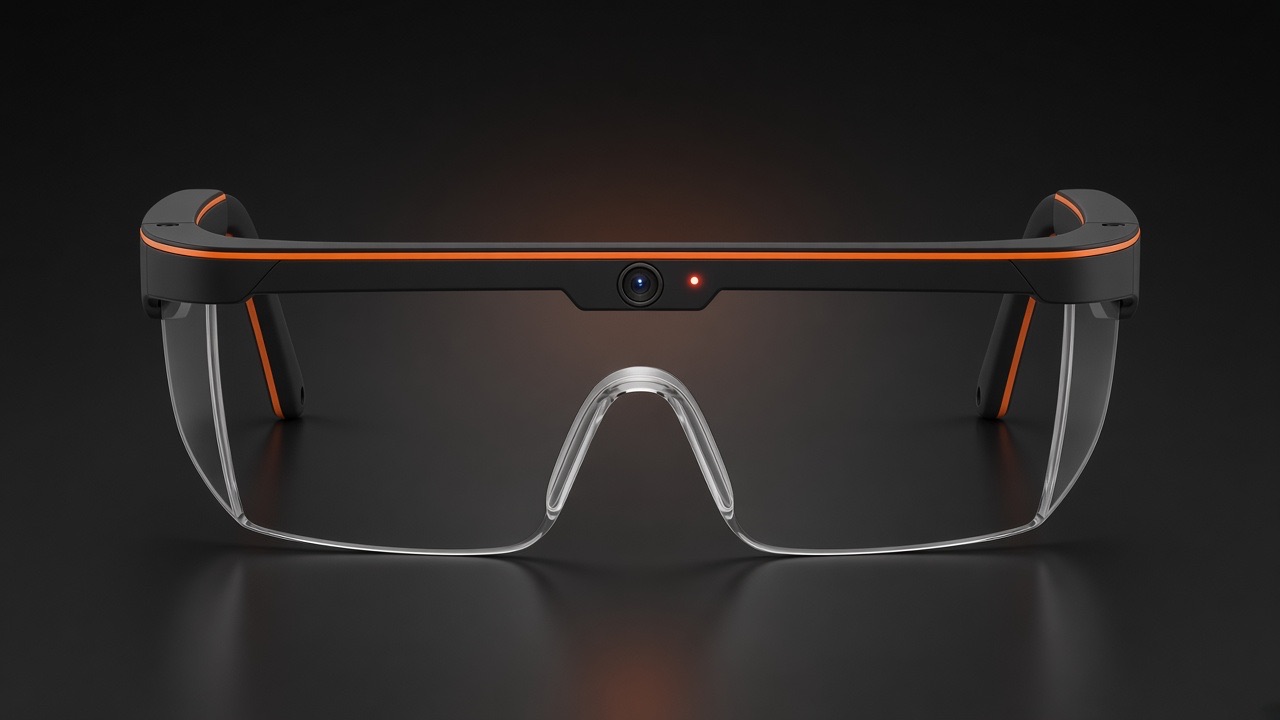
Camera in the center of the glasses, at eye level.
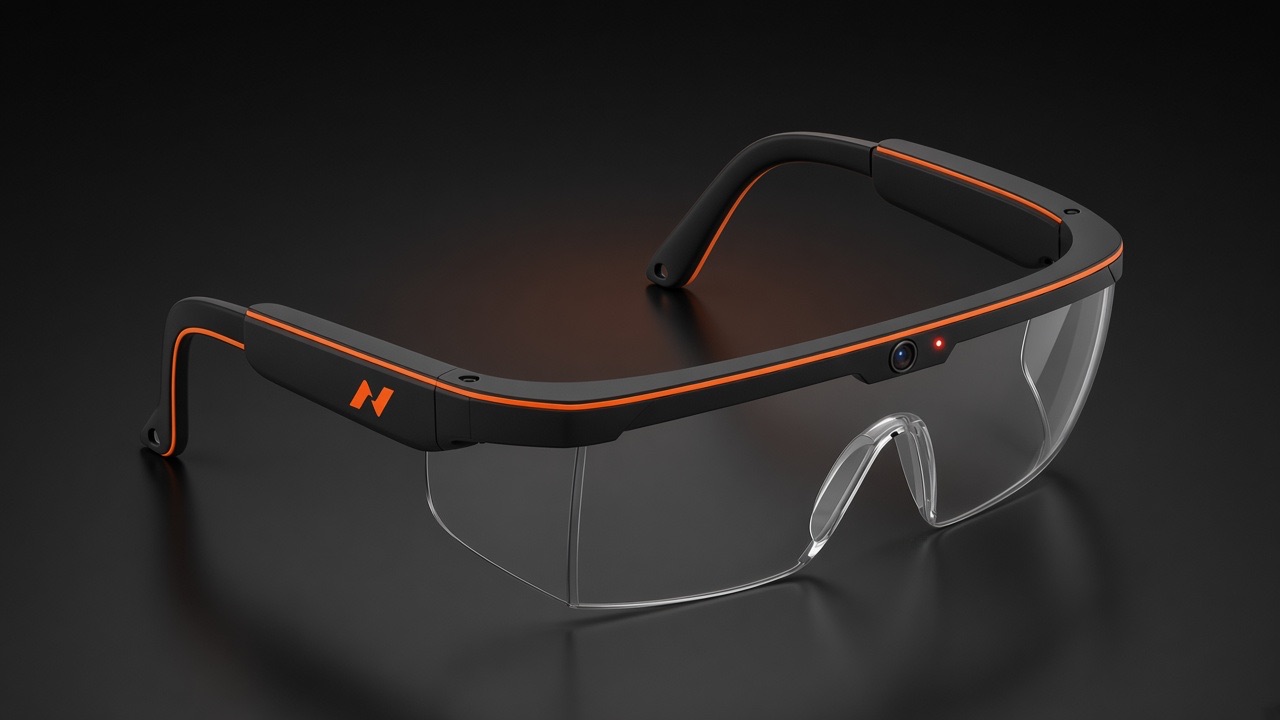
Batteries and electronics in the temples, USB-C at both ends.
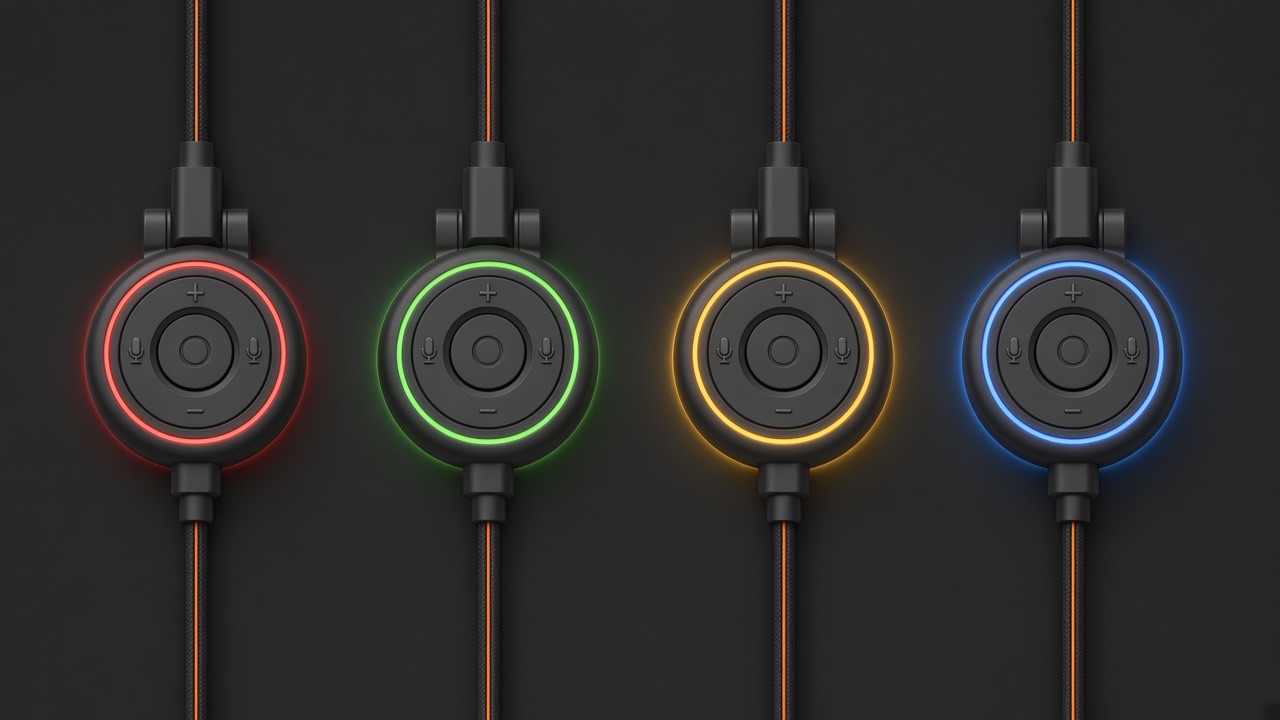
Light ring: red recording, green ready, yellow problem, blue battery low.
Your rights
Clips are only used with clear rights. That's why consent is built into the app, not buried in the small print.
You
You decide which clips you share, and you can stop at any time.
Your routine
You work the way you always do. The camera only runs when you start it.
Everyone else
Audio is off. Faces, documents and screens are blurred.
You can delete your account at any time, as easily as you signed up.
Anyone 18 or older who knows their craft: self-employed tradespeople, employees with their employer's approval and experienced DIYers, in Europe and the USA.
A GoPro or a similar action camera, or your phone in a head mount. The camera has to sit on your head so your hands stay in frame.
Every accepted clip is paid, depending on the task and its length. The app shows what a clip roughly pays before you record. Payouts land in your account on fixed dates.
Keep your hands in frame, make sure there's good light and show one task from start to finish. The app checks all of this before you upload and tells you right away if anything needs adjusting.
Yes, if you record at work. Your employer confirms through an invite in the app, and you record in your own time unless your employer agrees otherwise. If you're self-employed, it's your call.
No overall cap. Each task needs a set number of clips, and new tasks come in all the time. You decide when and how much you record.
Faces, documents and screens are blurred, and audio stays off. Each clip is labeled. We use the clips to develop assistance and safety systems and robotics for the trades, and license them to partners working on the same.
Our focus is support, not replacement: assistants that guide you through a task, safety systems that warn before something goes wrong, and robots for the heaviest and most dangerous jobs. Skilled work stays skilled work, and it needs people who know it.
Your hands. Your skill. Your pay. We add the view.